> For the complete documentation index, see [llms.txt](https://help.inveterate.com/help-center/llms.txt). Markdown versions of documentation pages are available by appending `.md` to page URLs; this page is available as [Markdown](https://help.inveterate.com/help-center/advanced-guides/edit-membership-selling-plan-fields.md).
# Edit membership selling plan fields
For tiers with a recurring paid subscription, selling plans get created in your store to accommodate payments. Some settings data attached to these plans have text that shows up on your storefront website and Shopify admin. \
\
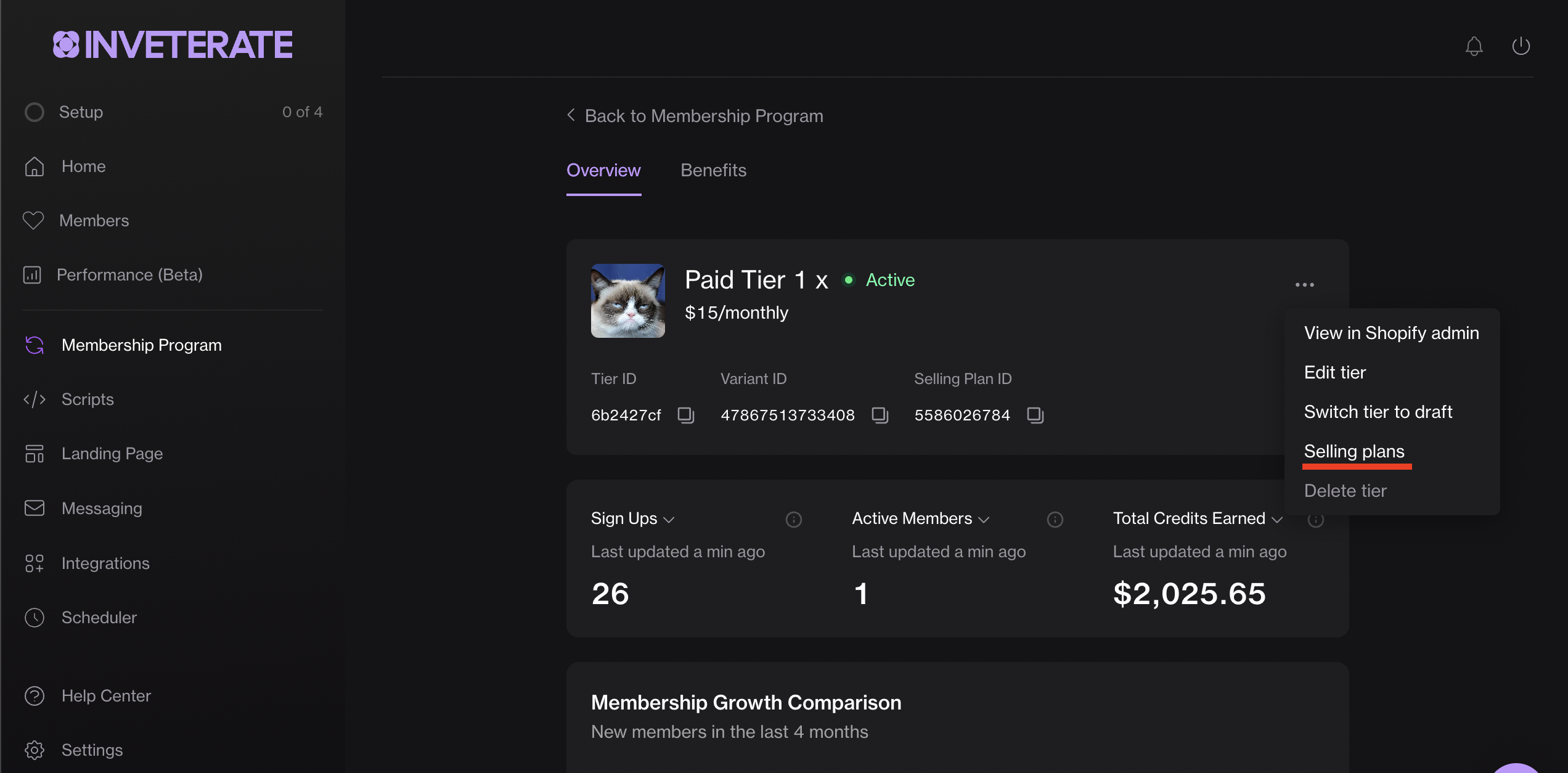
These are editable on the selling plans fields form page. You can access the selling plans form page from a menu item link on the tiers overview page, as shown below.
How to navigate to selling plans' fields form page
***
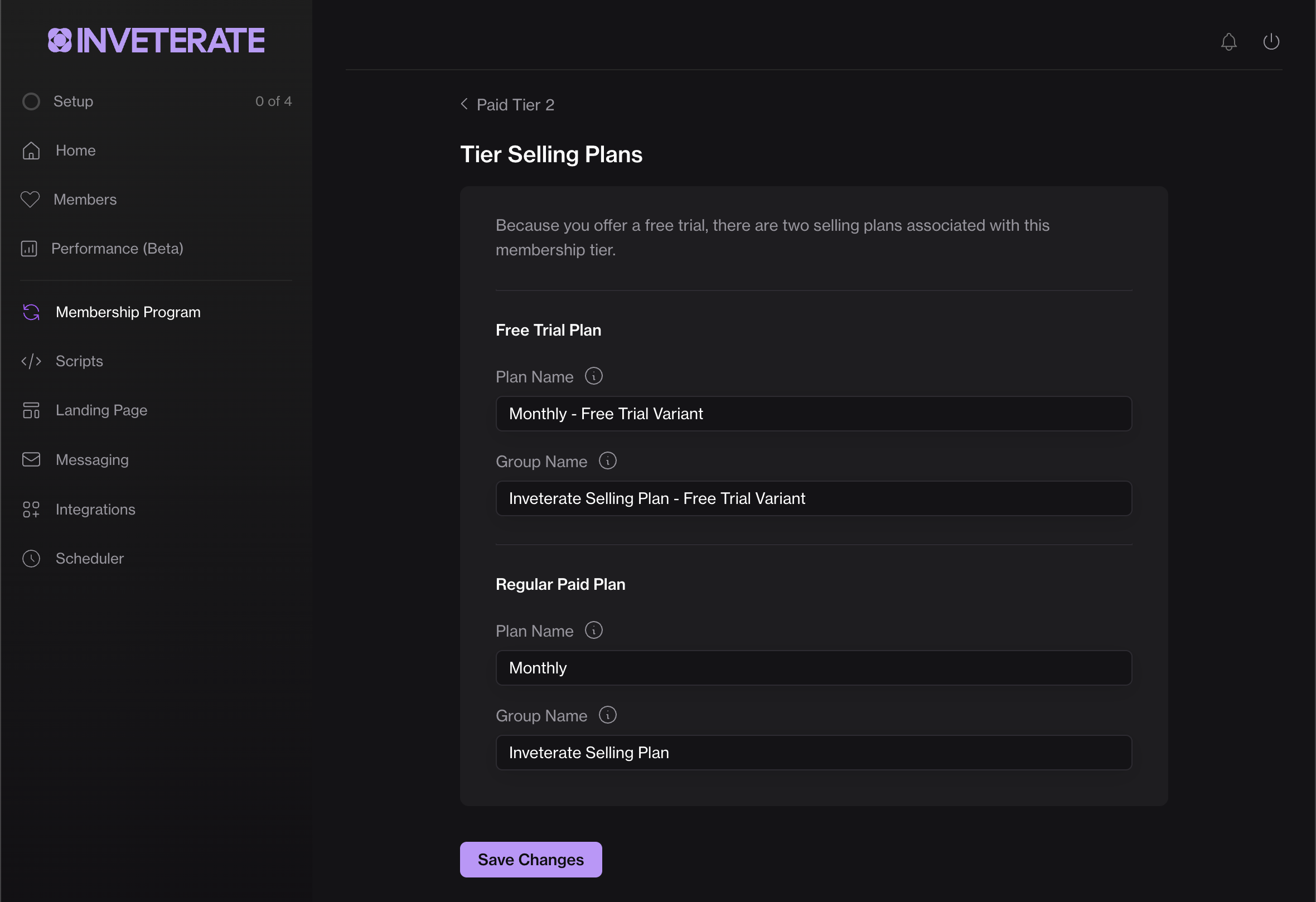
Selling plans' fields form page
## Fields
Fields with an asterisk `*` are currently editable. Let us know if there are more selling plans fields you want us to make editable through this page.
#### Plan name\*
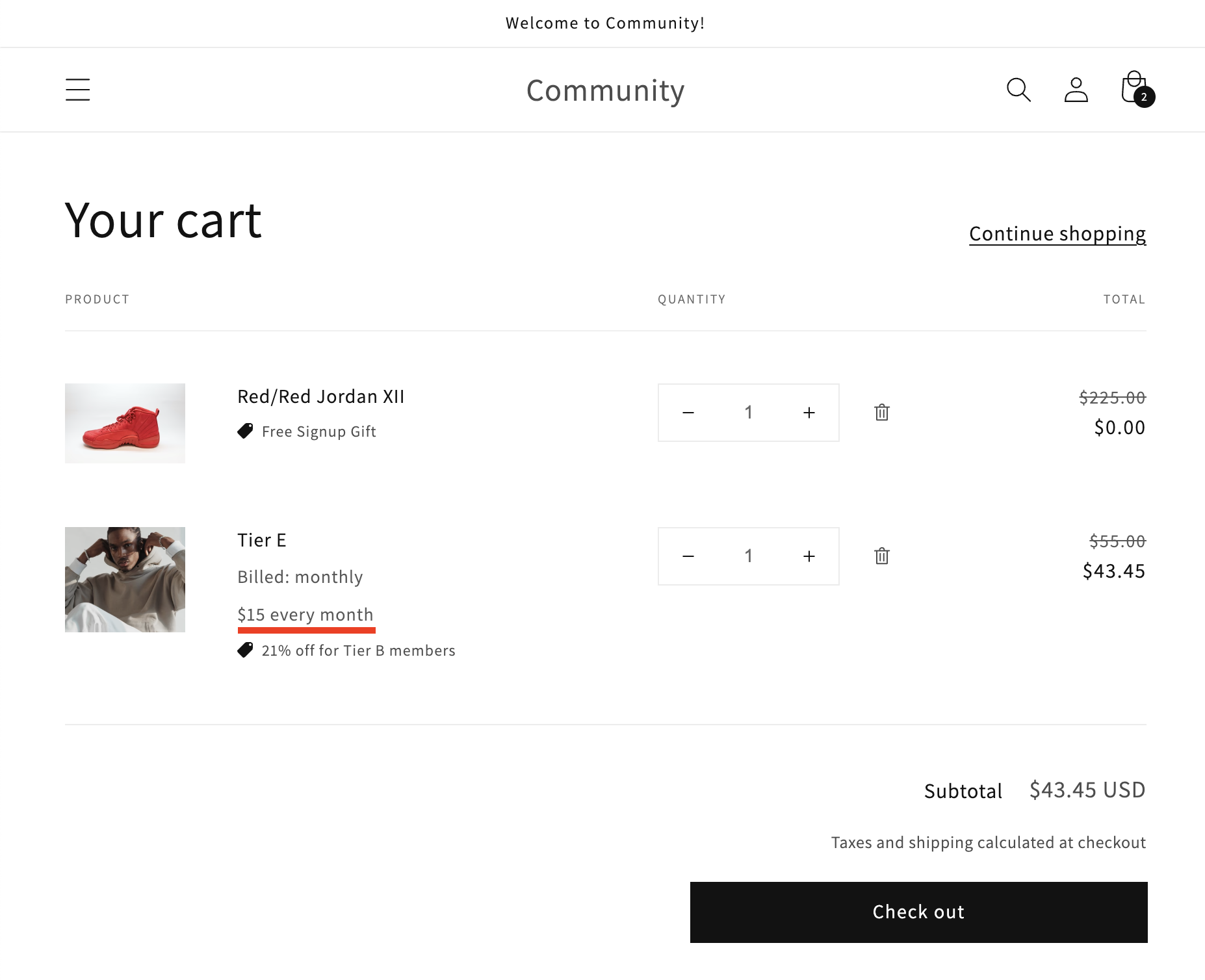
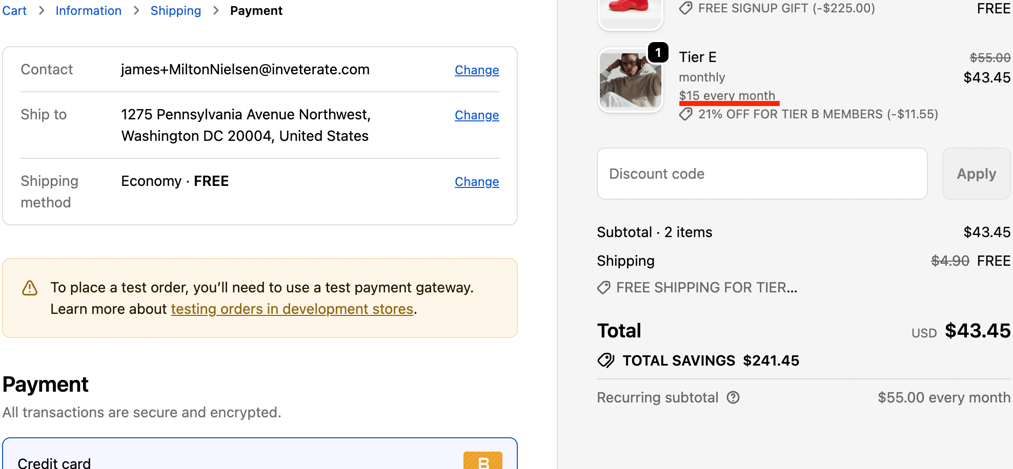
Displayed on cart and checkout pages as line item text next to subscription product . \
To best match Shopify's content guidelines, it is recommended that the payment amount and frequency are specified here - E.g. "$15 every month".
Above - Cart page with plan name marked
***
Above - Checkout page with plan name marked
#### Plan description
Not usually relevant to Inveterate selling plans, as as most themes only display this field on the product page, and Inveterate subscriptions are by default sold from the membership landing page instead. \
\
Merchants might use this field for promotional text, or to include a link to their subscription policy.
For more information, check out [Shopify's docs for this field.](https://shopify.dev/docs/storefronts/themes/pricing-payments/subscriptions/subscription-ux-guidelines#selling-plan-details)
#### Group name\*
Not usually relevant to Inveterate selling plans, as as most themes only display this field on the product page, and Inveterate subscriptions are by default sold from the membership landing page instead. \
\
According to Shopify's guidelines, selling plan group names should make clear the benefit of signing up for a subscription, and are used to store a bit of marketing text to incentivize the customer to purchase the subscription version of the product versus the regular one. For example, "Subscribe and save 10%". \
\
For more information, check out [Shopify's docs for this field.](https://shopify.dev/docs/storefronts/themes/pricing-payments/subscriptions/subscription-ux-guidelines#selling-plan-details)
#### Group description
Not usually relevant to Inveterate selling plans, as as most themes only display this field on the product page, and Inveterate subscriptions are by default sold from the membership landing page instead. \
\
If left unset, Shopify will automatically output **Customer can choose:** and loop through the selling plan group's associated selling plans, outputting `SellingPlan.name.` E.g.
> Customer can choose
>
> * `[SellingPlan.name]`\
> * `[SellingPlan.name]`
### How many selling plans per tier?
Each tier has 0-2 unique selling plans associated with it.
* 0 selling plans for ***free tiers***
* 2 selling plans for recurring subscription paid plan ***with a free trial***
* 1 selling plan for recurring subscription paid plan ***with no free trial***
* 0 selling plans for lifetime tiers (customer pays once for membership, no recurring subscription payment)
* 0 selling plans for spend-based tiers that don't require a separate recurring subscription payment
### Relevant Shopify docs
* [https://shopify.dev/docs/apps/build/purchase-options/subscriptions/selling-plans/build-a-selling-plan#selling-plan-api-properties]()
* [ https://shopify.dev/docs/api/liquid/objects/selling\_plan]()