> For the complete documentation index, see [llms.txt](https://help.inveterate.com/help-center/llms.txt). Markdown versions of documentation pages are available by appending `.md` to page URLs; this page is available as [Markdown](https://help.inveterate.com/help-center/guides/integrations/okendo.md).
# Okendo
### Okendo Integration - Credits for Reviews
Our integration with Okendo allows you to automatically reward your members with credits whenever they submit a review on your store. \
\
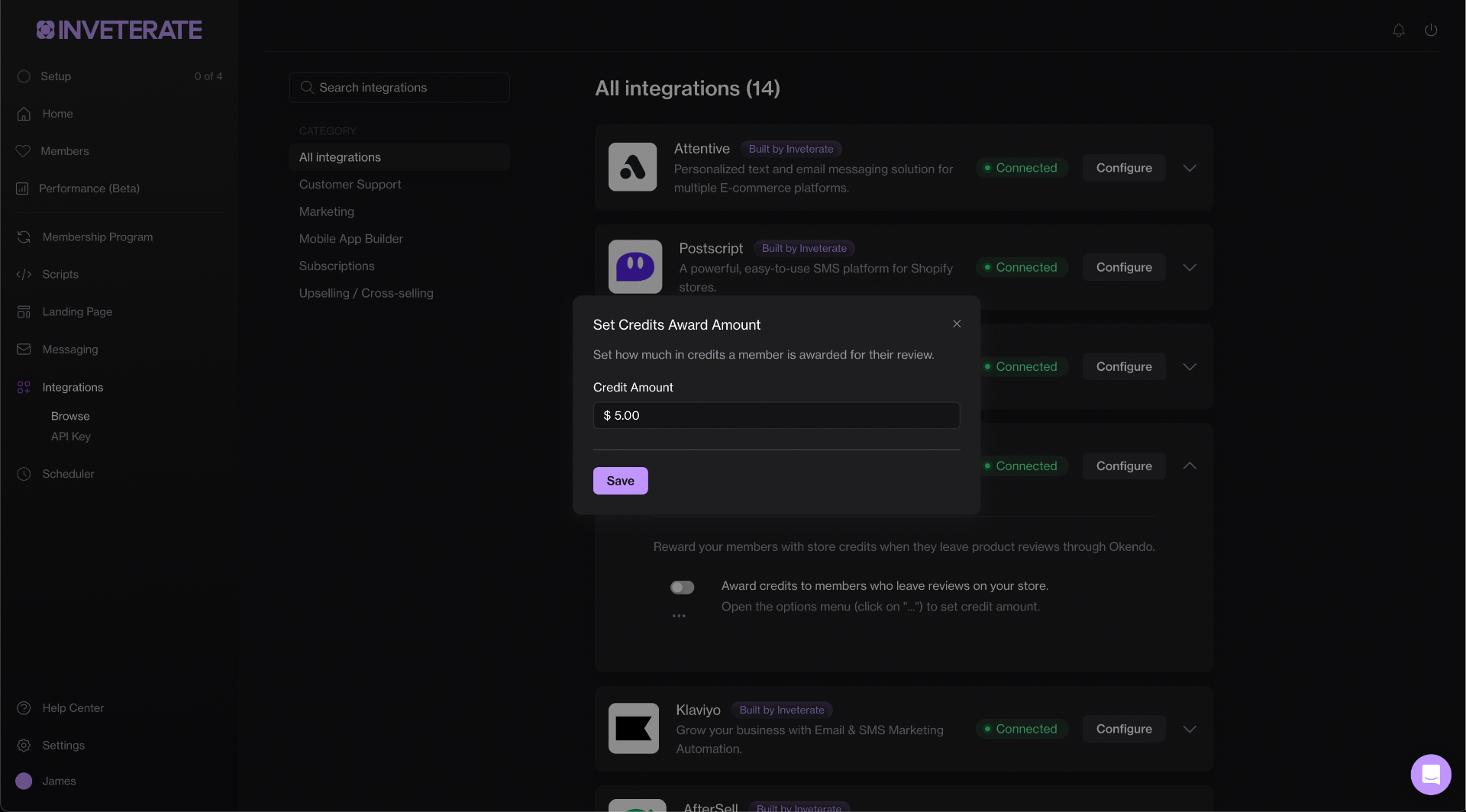
Specify the amount of credits you want to award a member per review within your Inveterate dashboard.
### Step 1. Get API Credentials from Okendo
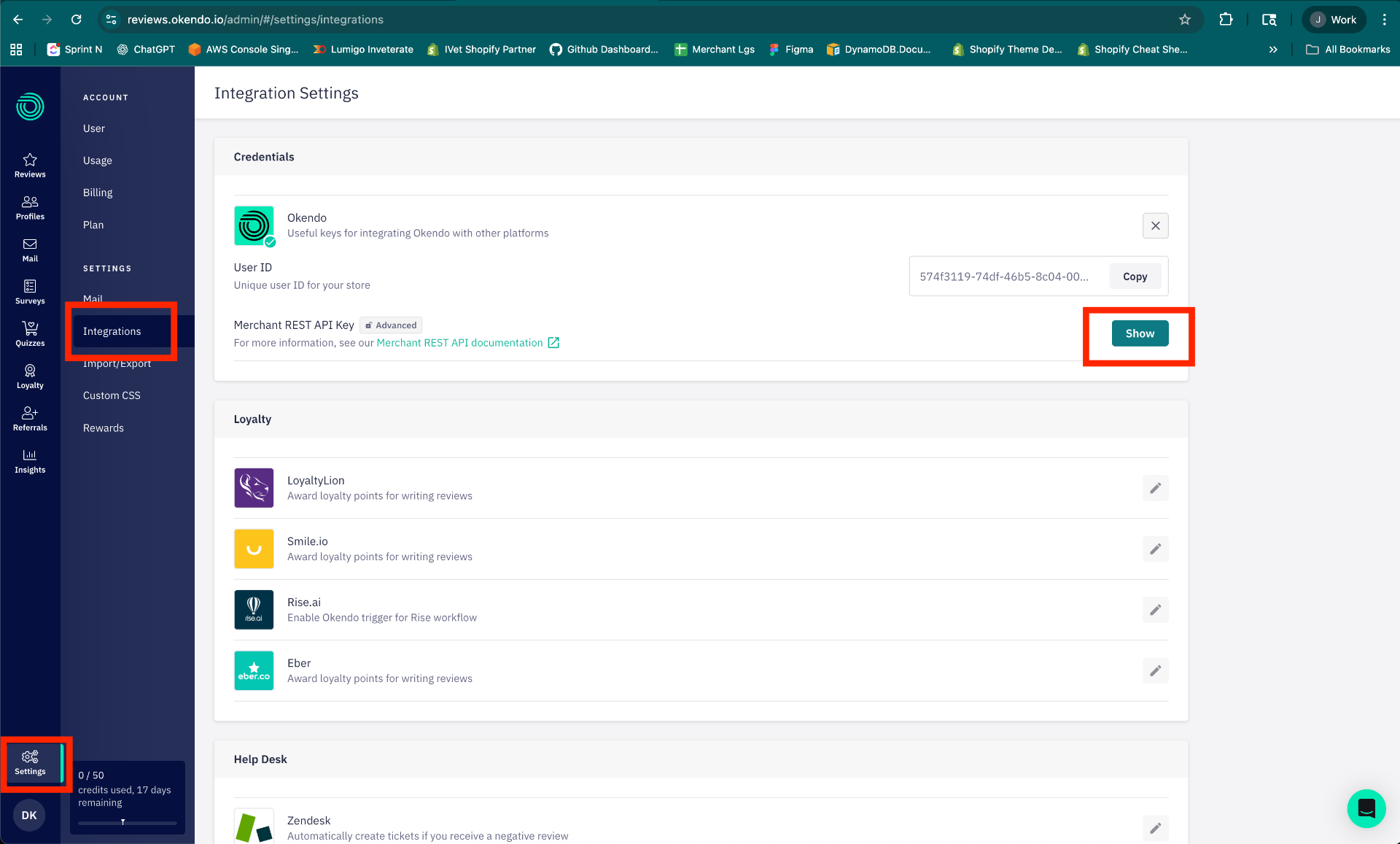
In your Okendo account, navigate to Settings -> Integrations -> Okendo.
Copy the following:
* User ID
* Merchant REST API Key
### Step 2. Authorize integration in Inveterate
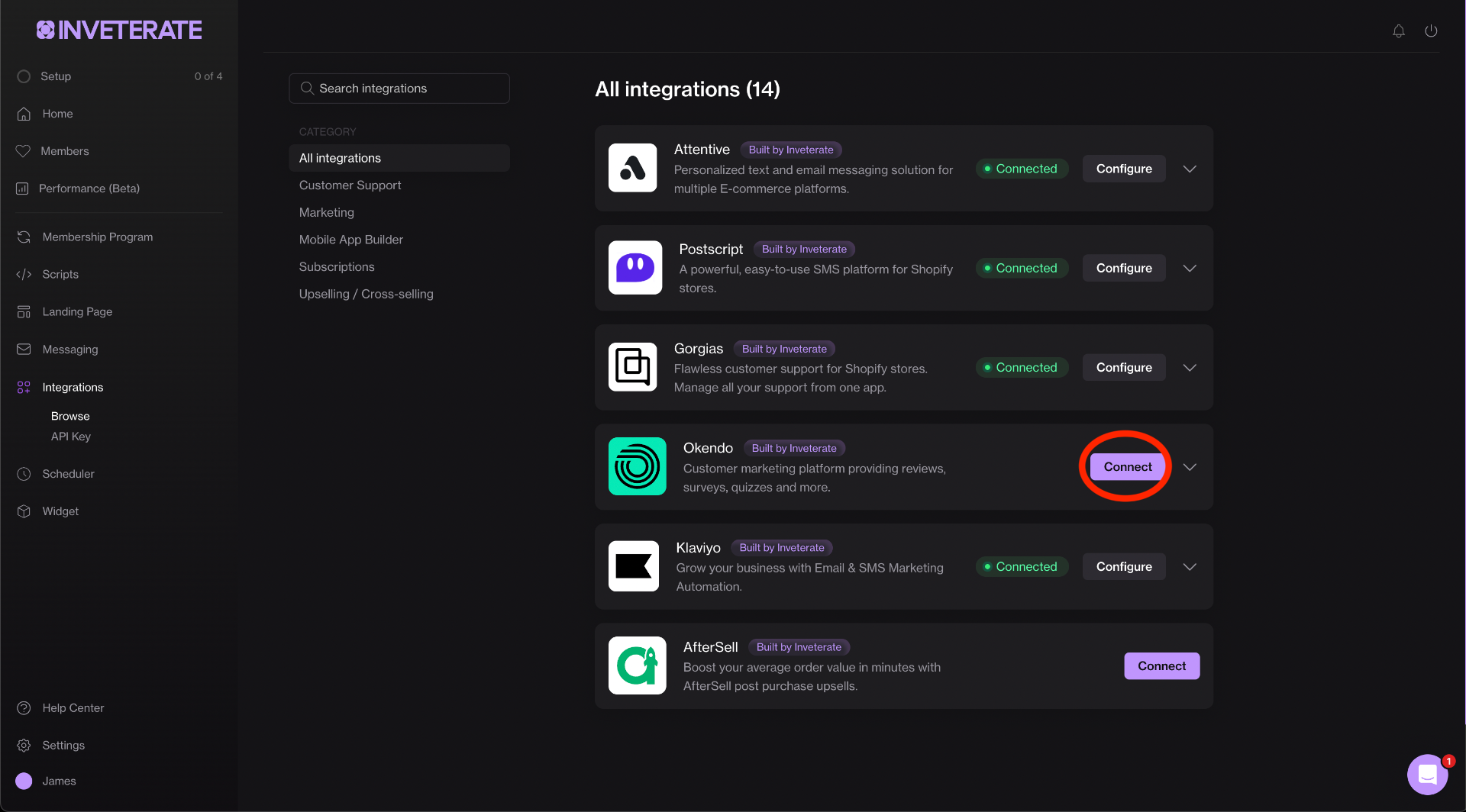
Navigate to the integrations page and click "Connect" on the Okendo integration.
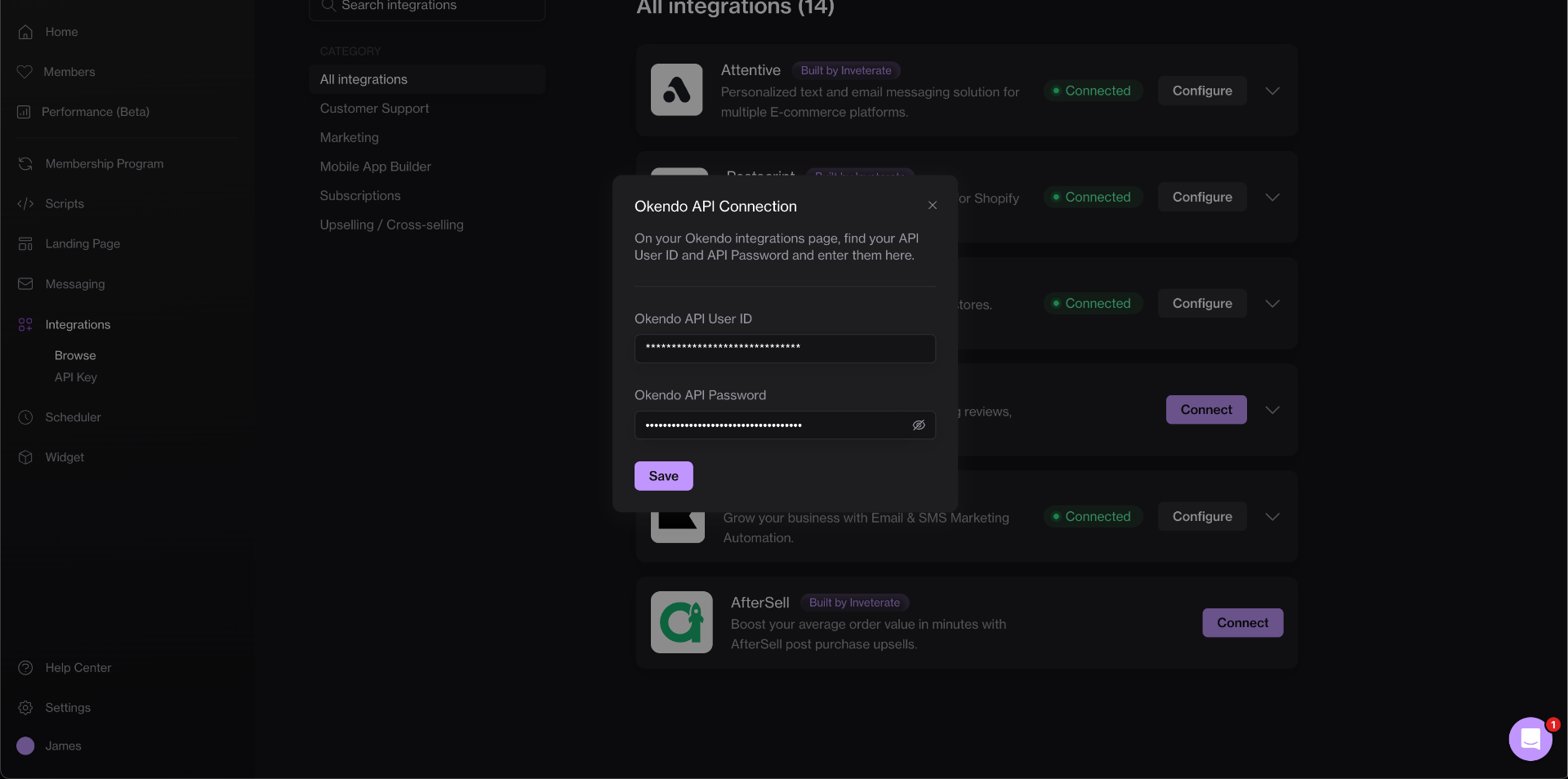
Fill in your API User ID and Key.
### Step 3. Set credits for review amount and enable workflow
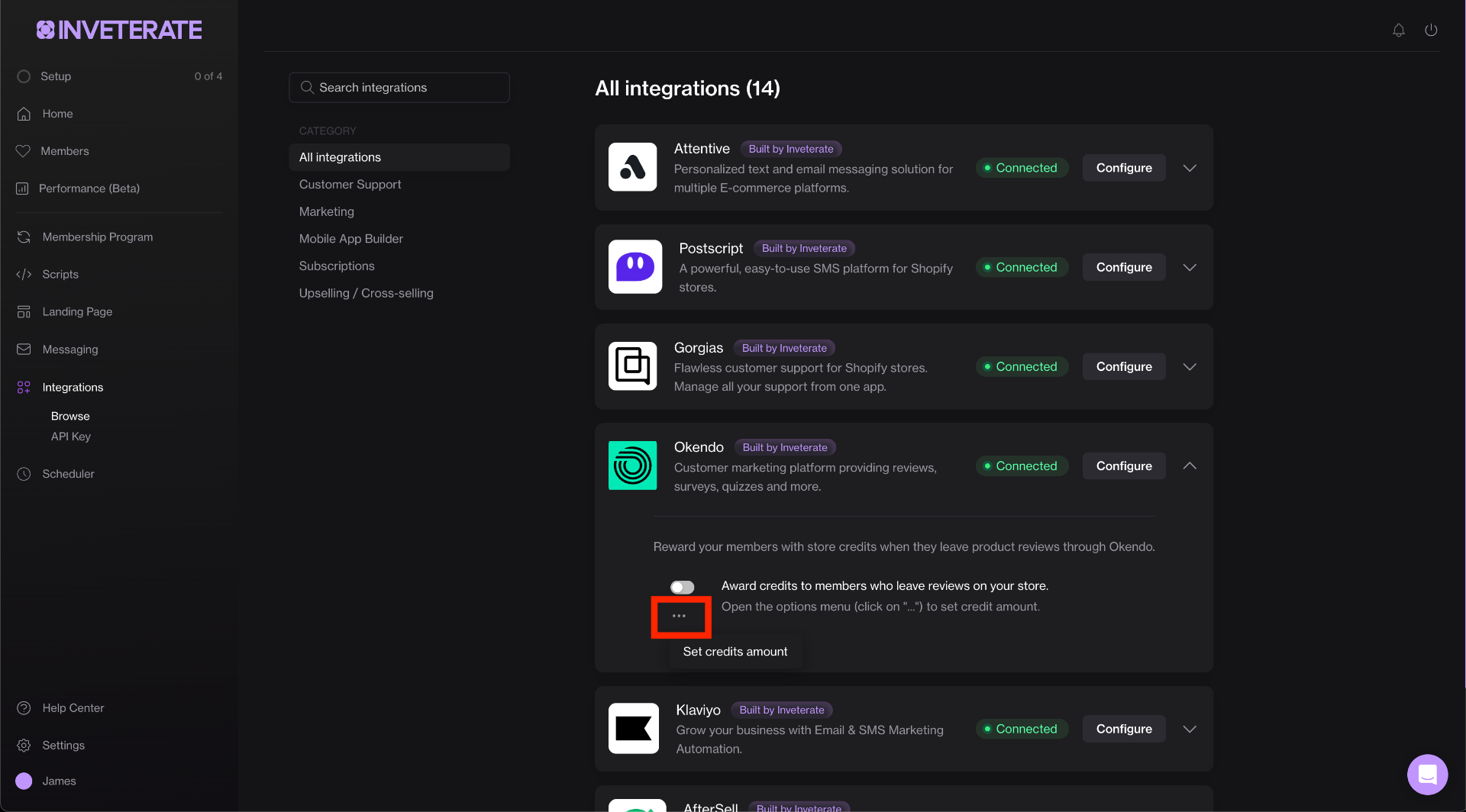
Click the ellipses ("..."), then "Set Credit Amount" to open the menu and set the amount.
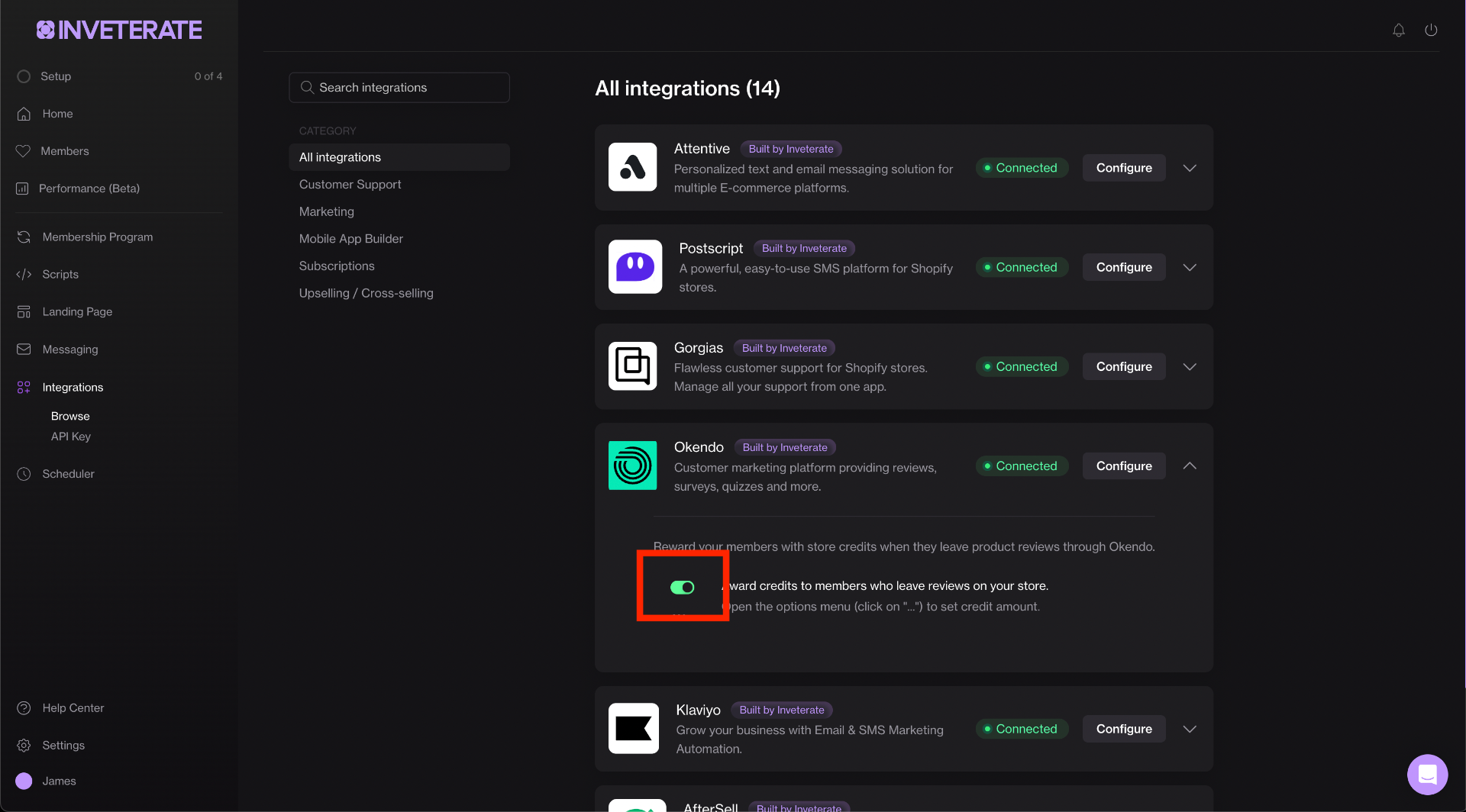
Make sure to enable the workflow when you're ready.